Why I moved my Claude Code sessions onto an Asus GX10
Windows kept rebooting and closing my work. A Nvidia DGX Spark device fixed it.

When I fired up Claude Code to try AI coding two months ago, I never imagined I'd enjoy it so much that I'd end up paying for Claude Max. But I did, with the only ROI strategy being a desire to learn and upskill.
One problem I ran into was that my desktop would periodically reboot, closing the many terminal sessions I kept open. It was a real hassle. Here's how I solved it.
The problem with reboots
I run Windows 11, which I used to access the Claude Code terminal. Though I never turn the workstation off, the OS would intermittently reboot, either from crashes or to install security updates.
Macs are better here, and can apparently run for months without restarts. I was seriously considering the Mac Mini, until Apple severely curtailed RAM configurations because of the current supply chain situation.
A few weeks ago, I wrote about the Asus GX10, a Nvidia DGX Spark device with an onboard AI chip and 128GB of RAM. Based on Ubuntu Linux, it was rock stable. So why not run my Claude Code terminal sessions from it?
Migrating to the Asus GX10
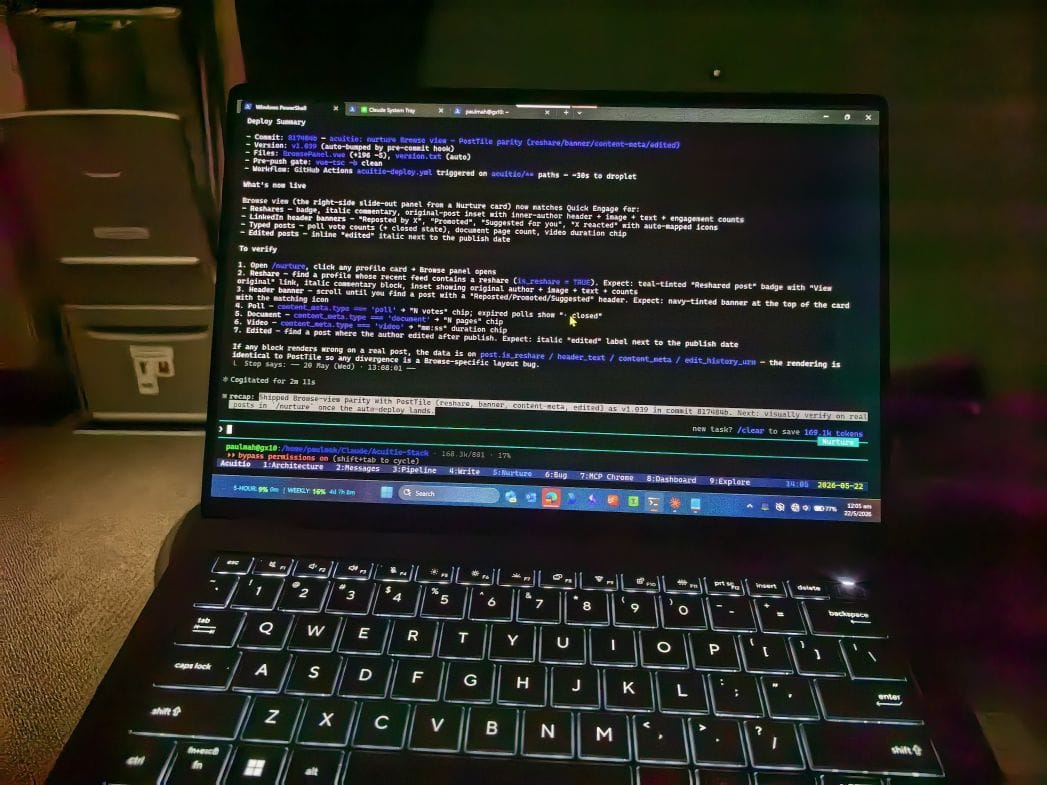
Getting it to work was surprisingly easy. I transferred my Claude Code memory and plans over, installed tmux on the GX10, and set up Nvidia Sync on my laptop. Since I'd used a code repo from the start, that was all it took. And yes, I had Claude Code handle most of the steps once I'd read them up.
Nvidia Sync is worth mentioning. Its integration with Tailscale meant I could connect to the GX10 from anywhere, including from a plane.
Coding on the go
You could, of course, install Linux on any old machine to achieve the same thing. But I already had the GX10 up and running, so it just made sense to use it. My next plan is to potentially pair other coding-capable LLMs, running locally on the GX10, with Claude Code.
For now, I can work on my projects from multiple devices and places: the Claude mobile app over weekends, my laptop when travelling, and my workstation the rest of the time.
One thing worth noting is that tmux doesn't support binary file transfers, which rules out Alt-V pasting of images. To get around that, I built a background Windows app that transfers screenshots over with a single shortcut.